
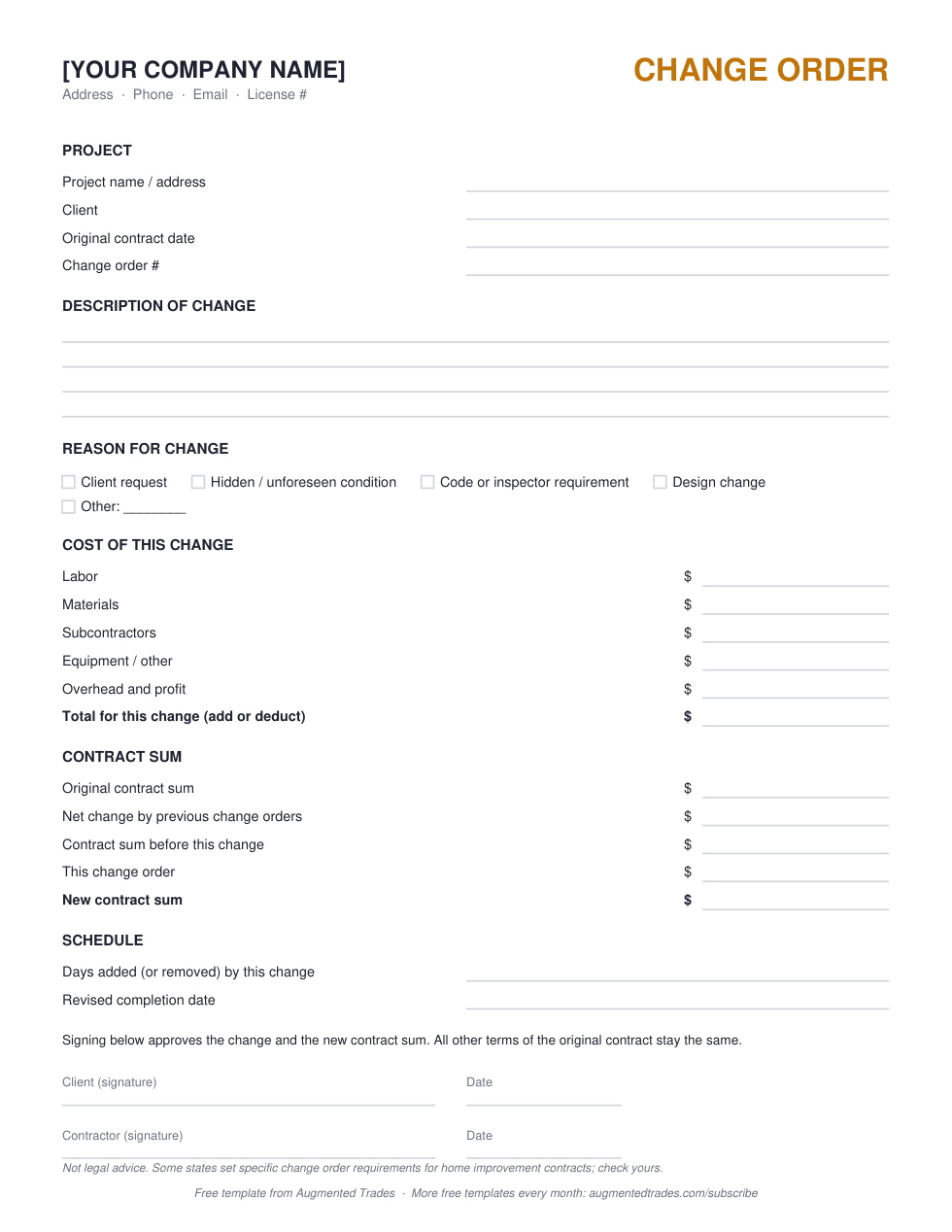
This is a free change order template for contractors: a one-page change order form in Word and PDF, plus an Excel change order log that adds up approved changes and shows the revised contract sum. Use it any time the scope, price or schedule moves after the contract is signed.
Download the PDF (free, print and fill) →
What you get
- Change order form: Word (edit it) and PDF (print and fill)
- Change order log: Excel, totals approved changes automatically
- Free estimate and invoice templates for five trades
Want the Word form and the Excel log? Enter your email at checkout and download them instantly, free, no card.
Tick the newsletter box at checkout and we will send you new contractor templates as we publish them. It is optional.
What a change order is, and when you need one
A change order is a signed amendment to your contract. It records what changed, why, what it costs and how it affects the schedule. You need one whenever the client asks for something extra, you uncover a condition nobody could see at bid time, an inspector requires something that wasn’t in the plans, or a selection changes. Some states require written, signed change orders for home improvement contracts, so check yours.
What to include on a change order
- Project, client, original contract date and a change order number, numbered in sequence.
- A specific description of what is being added, removed or changed, with quantities and materials.
- The reason: client request, hidden condition, code requirement, design change or other.
- The cost broken out: labor, materials, subcontractors, equipment, and overhead and profit. Deducts are shown as negatives.
- The contract sum: original sum, net of previous change orders, this change and the new contract sum.
- Schedule impact: days added or removed and the revised completion date.
- Signatures and dates from both you and the client.
Change order rules that protect your margin
- Get the signature before you do the work. A change you build first and price later is the one that turns into a dispute.
- Price it like new work. Include your markup; extras carry the same overhead as the original job. Our markup vs. margin guide shows the math.
- Put a change order clause in the original contract that says changes need a signed change order and explains how hidden conditions are handled.
- Log every change, including rejected ones. The Excel log keeps a running total so you always know the current contract sum.
How the change order log works
Enter the original contract sum at the top. Each row is one change order with its date, description, reason, amount, days and status. Only rows marked Approved count toward the revised contract sum, so pending changes never inflate the number you bill against.
When to move to software
Construction platforms handle change orders inside the job, with client e-signatures and automatic budget updates. If you’re managing several projects at once, see project management software for general contractors and our JobTread vs Buildertrend breakdown.
Change order template: common questions
Is this change order template free?
Yes. The PDF downloads directly from this page. The Word form and Excel log are free too, with an email at checkout.
Can I use it for a deduct (credit) change?
Yes. Enter the amount as a negative and the new contract sum goes down.
Does the client have to sign every change order?
You should get a signature on every one before doing the work. Some states require it for home improvement contracts.
Does the change order log work in Google Sheets?
Yes. Upload the .xlsx to Google Drive and open it with Google Sheets.
More free contractor templates
- HVAC invoice and estimate templates
- Plumbing invoice and estimate templates
- Electrical invoice and estimate templates
- Roofing estimate and invoice templates
- Landscaping estimate and invoice templates
- Contractor bid proposal template
- Branded Bid Proposal with your logo ($29)
- Contractor markup vs. margin
Templates are free to use and edit for your own business. Example rows in the spreadsheets are placeholders, not price guidance. Nothing here is legal or tax advice: check your state’s rules for licensing numbers, sales tax on labor and contract requirements.
Answer a few quick questions and our free Tool Finder builds you a custom software shortlist — with the reasoning and pricing behind each pick.
Find your tools (free) →
Michael is the founder of Augmented Trades, an independent site that compares AI and software tools for trade contractors on published pricing, contracts, and real feature limits. Tools are recommended on fit for your shop — affiliate partnerships never decide coverage.